For 2026: How to Download YouTube Music to MP3 with ViWizard
In today’s digital age, streaming has become the primary way we consume music. Platforms like YouTube Music offer millions of songs at our fingertips, but there’s a catch: you don’t truly own the music. With a subscription, you can listen offline within the app, but the files are locked with DRM protection and become inaccessible the moment your subscription lapses.
For music lovers who want to build a permanent, portable collection, converting YouTube Music to MP3 is the ideal solution. In this guide, we’ll explore why ViWizard Streaming Audio Recorder is the best tool for the job and how you can start preserving your favorite tracks today.
Why Convert YouTube Music to MP3?
Before diving into the “how,” let’s look at why so many users are seeking a reliable way to download YouTube Music to MP3:
- True Offline Ownership: MP3 files play on any device—your car stereo, MP3 player, smart TV, or old iPod—without needing an internet connection or the YouTube Music app.
- No Subscription Dependency: Stop worrying about monthly fees. Once downloaded, your music is yours forever, even if you cancel your Premium subscription.
- Creative Freedom: DJs, video editors, and fitness instructors often need MP3 files to mix, edit, or incorporate into their projects without platform restrictions.
The Challenge with YouTube Music
YouTube Music Premium does allow downloads for offline listening, but these files are DRM-protected and cached, meaning they can only be played inside the YouTube Music app. You cannot transfer them to a USB drive, upload them to your cloud storage, or play them on non-compatible devices. This is where a dedicated audio recorder like ViWizard becomes essential.
Meet ViWizard Streaming Audio Recorder: Your All-in-One Solution
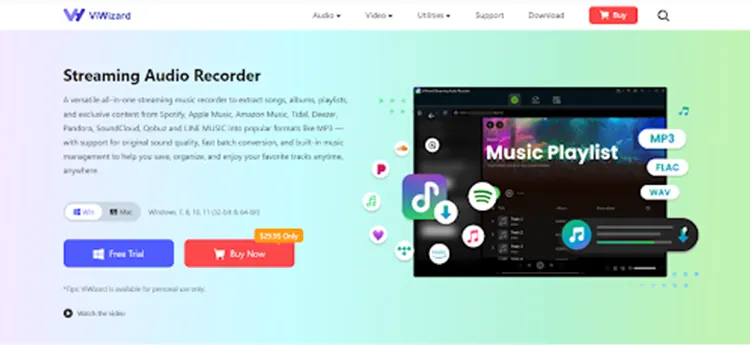
ViWizard Streaming Audio Recorder is a powerful desktop application designed to capture streaming audio from over 9 major platforms, including YouTube Music, Spotify, Apple Music, and SoundCloud. Unlike sketchy online converters that often deliver low quality or malware, ViWizard operates securely from your own Windows or Mac computer.
Key Features That Set ViWizard Apart
Lossless Quality Preservation: ViWizard captures the original streaming audio without quality loss. You can output in MP3, FLAC, WAV, M4A, AIFF, and more, with customizable bitrates up to 320kbps.
- Complete ID3 Tags: Say goodbye to “Track 01.mp3” chaos. ViWizard automatically preserves and embeds metadata like title, artist, album, and cover art.
- Batch Downloading: Download entire playlists or albums at lightning-fast speeds without manually processing each track one by one.
- Built-in Web Player: Access YouTube Music directly within ViWizard’s interface—no need to switch between apps or browsers.
- Support for various music streaming platforms: ViWizard supports YouTube Music, Spotify, Apple Music, Tidal, Deezer and more.
Step-by-Step: How to Download YouTube Music to MP3 with ViWizard
Ready to start building your permanent music library? Follow these simple steps:
Step 1: Download and Install ViWizard
Visit the official ViWizard website and download the version compatible with your operating system (Windows or macOS). Install the software and launch it.
Step 2: Set MP3 as Your Output Format
Click the menu icon (☰) and go to Preferences. Under the “Convert” tab, select MP3 as your output format. You can also adjust the bitrate (up to 320kbps), sample rate, and output folder to keep your music organized.
Step 3: Access YouTube Music
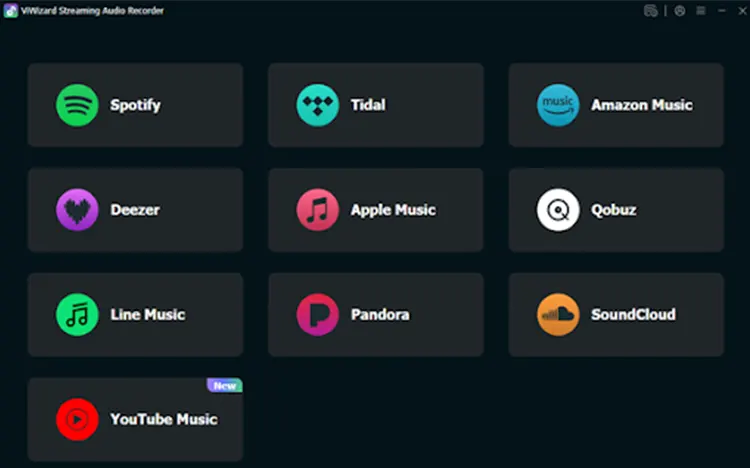
In the main interface, select YouTube Music. ViWizard will open its built-in web player. Log in to your YouTube Music account to access your playlists, liked songs, and library.
Step 4: Add Tracks to the Conversion Queue
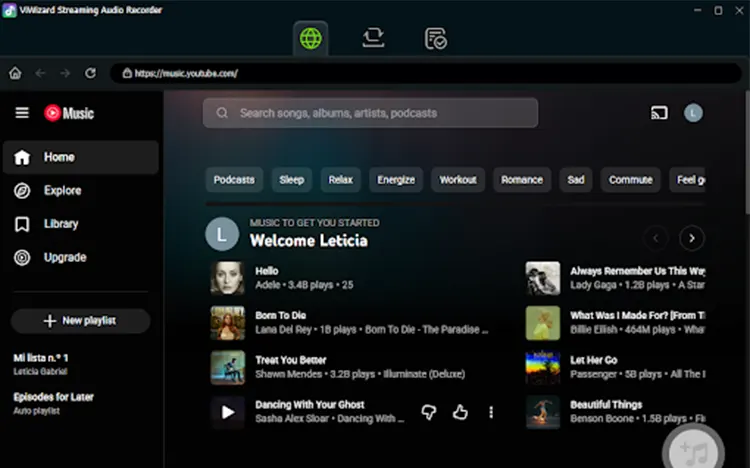
Browse your music, find the songs or playlists you want to download, and click the “+” button. ViWizard will add them to the conversion list, ready for processing.
Step 5: Convert and Download
Click the Convert button. ViWizard will begin recording and converting your selected tracks to MP3. Thanks to its advanced engine, the process is fast and maintains the original audio quality. Once complete, click the folder icon to locate your new MP3 files.
Alternative Methods (and Their Limitations)
While ViWizard is the most effective solution, here are a few alternatives:
1. Online YouTube to MP3 Converters
- Pros: Free and quick
- Cons: Low quality, unstable, potential security risks
2. Browser Extensions
- Pros: Convenient
- Cons: Limited functionality, often blocked by platforms
3. Built-in Screen Recorders
- Pros: No extra software needed
- Cons: Poor audio quality, no metadata, time-consuming
Compared to these options, ViWizard offers a more professional and reliable experience.
Conclusion: Take Control of Your Music Today
Streaming services offer incredible convenience, but they shouldn’t dictate when and where you can enjoy your favorite music. With ViWizard Streaming Audio Recorder, you can break free from the limitations of subscription-based listening.
Whether you’re an audiophile seeking lossless FLAC files or a casual listener wanting to build a reliable MP3 collection, ViWizard provides a secure, high-quality, and user-friendly solution. Download your free trial today and start converting YouTube Music to MP3—and finally own the music you love.
Also Read: Which Microphone Is The Best For YouTube?